

Invite someone
1
Select Invite
The button is in the top right of the Team panel. It only appears if your role can manage members.
2
Enter their email and choose a role
Admin or Member. See Roles and permissions for what each can do.
3
Send it
They get an email with a link. If they already have a Nylon account, they are added to the organization straight away.
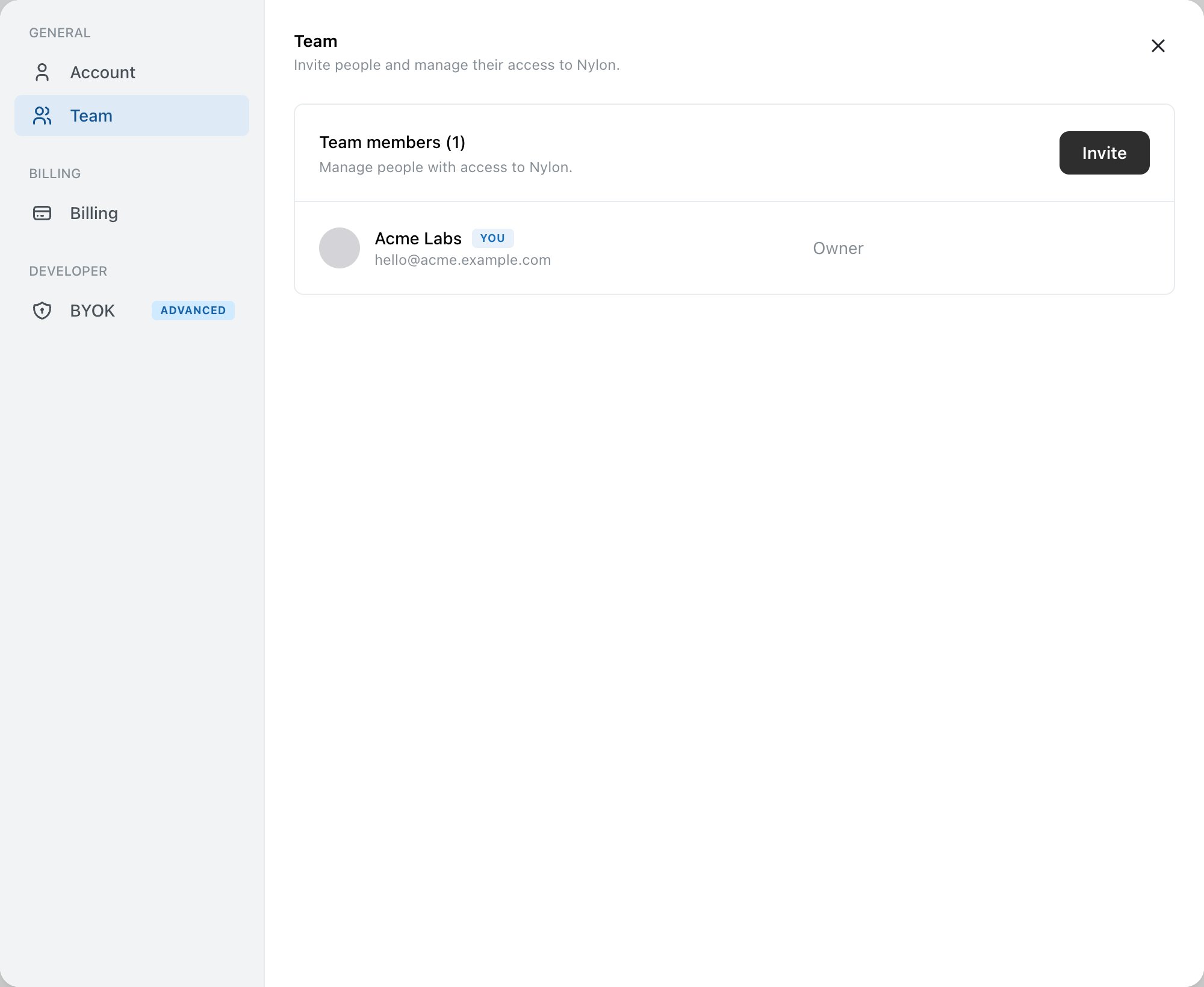
Team settings, with members and their roles.
Pending invitations
An invitation that has not been accepted sits in the list with its role. Two controls at the end of the row:- Resend invite — send the email again, for the usual reason.
- Cancel invite — withdraw it. The link stops working.
Tell people to sign in from the invitation link, not from a bookmark. Signing in elsewhere first leaves the invitation unattached, and it has to be resent.
Changing someone’s role
Select the role dropdown on their row. You cannot assign or change the Owner role — see Roles and permissions.Removing someone
The icon at the end of the row removes a member — or, on your own row, leaves the organization. That is worth putting into your offboarding checklist, alongside rotating any webhook signing secrets they had a copy of.Related
Roles and permissions
What Owner, Admin and Member can each do.
Keep keys secure
Rotating keys when someone leaves.