

Sign up
Go to app.nylon.dev. If you are not signed in, you land on the login card.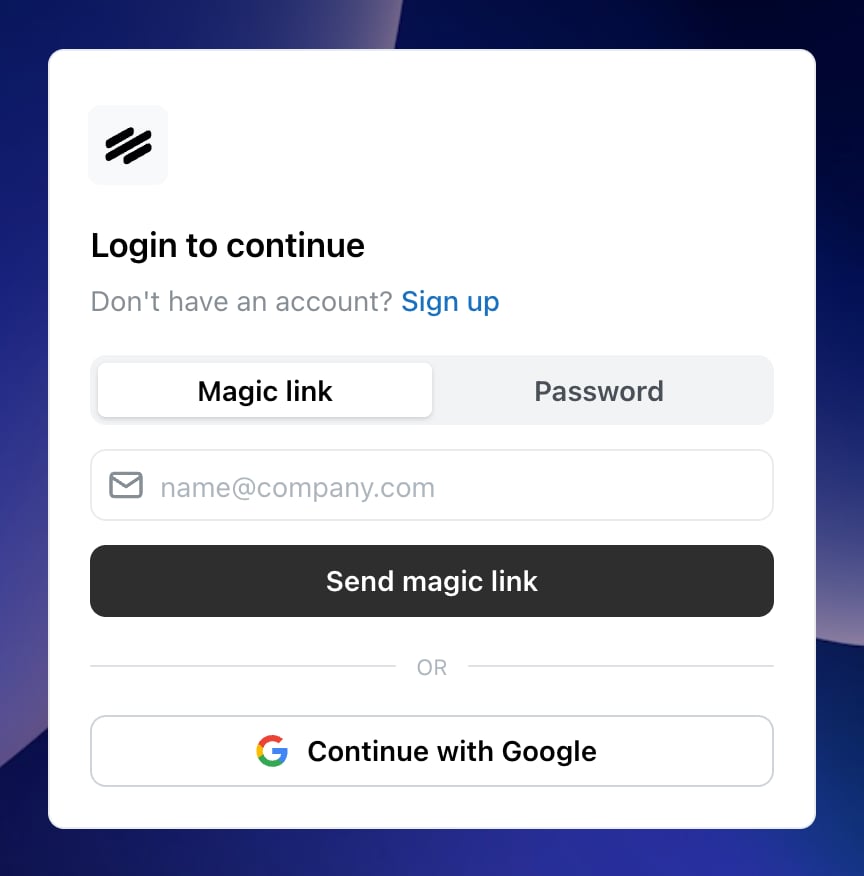
The Nylon sign-in card, with the magic link and password methods.
- Magic link
- Password
- Google
Enter your name and email and select Send magic link. Nylon emails you a link; open it and you are signed in. There is no password to choose or store.
The method you used last is remembered and highlighted the next time you sign in, so you do not have to remember which one you picked.
Joining an organization you were invited to
An invitation email contains a link that opens the same card with a blue Joining an organization notice above the form. Sign in or sign up from that link — not from a bookmark — so the invitation is attached to your account. If you sign in from somewhere else first, ask whoever invited you to resend it, then open the link while signed in.Signing in later
The same card handles signing in. Enter your email and select Send magic link, or switch to Password, or use Continue with Google. If you signed up with a password and have forgotten it, use the magic link method instead — it works on any account regardless of how it was created — then set a new password from Settings → Account.Switching on dark mode
Select your avatar in the top left of the sidebar and toggle Dark mode. The preference is yours, not your organization’s.Related
Connect your first account
What to do once you are in.
Invite your team
Bring the rest of your team into the same organization.