> ## Documentation Index
> Fetch the complete documentation index at: https://docs.nylon.dev/llms.txt
> Use this file to discover all available pages before exploring further.
# API keys
> Create, inspect and revoke the keys your backend authenticates with.
Every request to the Nylon API is authenticated with an API key sent as a bearer token. Keys are created from the **API** page in the dashboard and belong to your organization.
## Create a key
Select **API** in the sidebar. Until you have a key you get the empty state, with a single **Create API key** button.
Give the key a name that says where it will be used — `production-backend`, `staging`, `nightly-job`. The name is the only thing that tells two keys apart later, so a name like "key 1" costs you nothing today and something later.
The full key is shown **once**, with the warning *"Please copy this API key and save it somewhere safe. For security reasons, we cannot show it to you again."* Copy it into your secret manager, then select **I've stored it safely**.
If you lose a key, there is no way to recover it. Revoke it and create another.
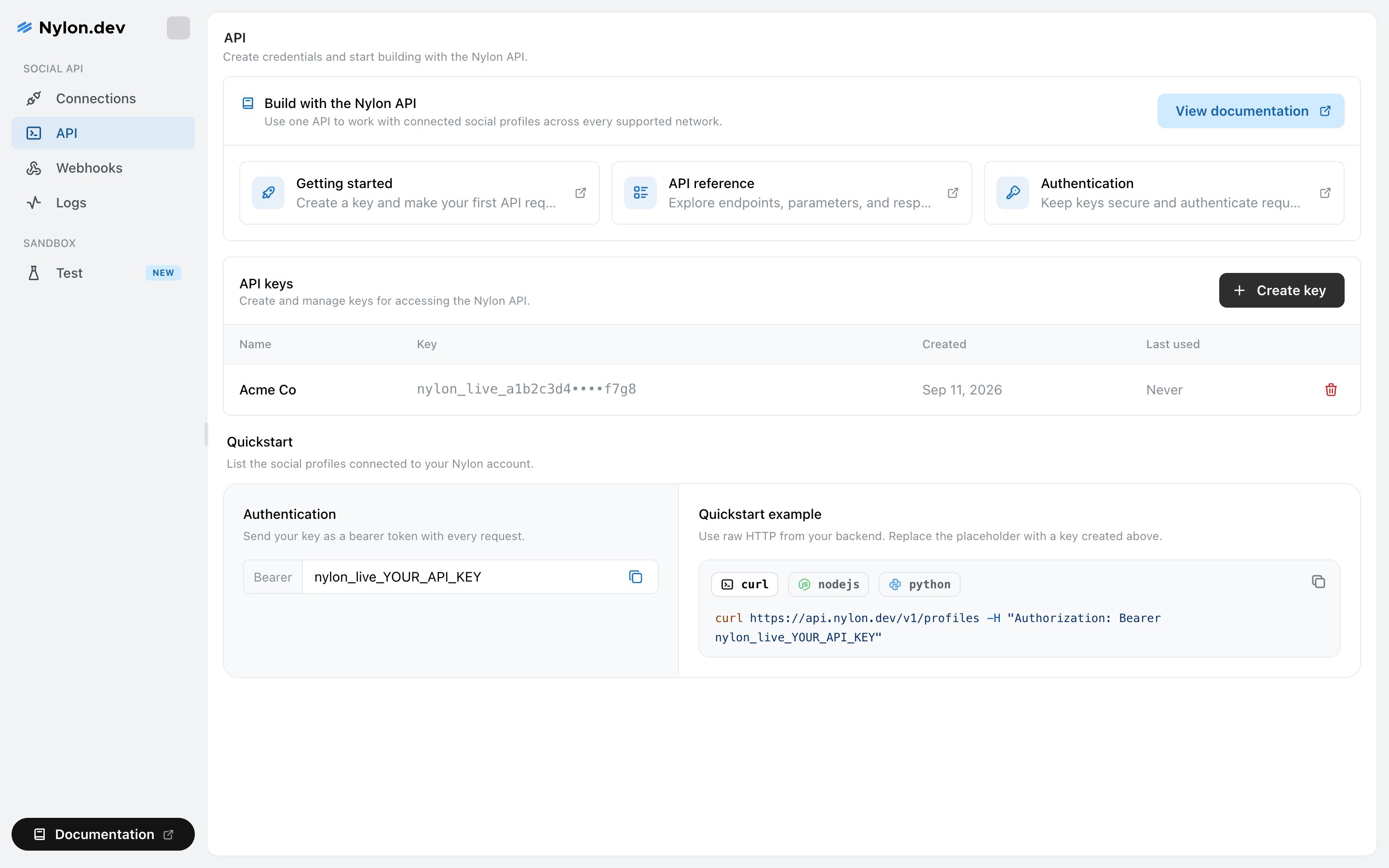 ## What the list shows
| Column | What it tells you |
| ------------- | --------------------------------------------------------------------------------------------------- |
| **Name** | What you called it. |
| **Key** | The first and last few characters, with the middle masked. Enough to match a key to an environment. |
| **Created** | When it was made. |
| **Last used** | When a request last authenticated with it, or **Never**. |
**Last used** is the useful one. A key that has never been used is safe to revoke, and a key that stopped being used months ago is usually a key nobody knows they still have.
## Revoke a key
Select the red bin icon at the end of a row. Nylon asks you to confirm, naming the key: *"'production-backend' will stop working immediately. This action cannot be undone."*
Revoking takes effect at once. Any request still using that key starts failing with an authentication error, so roll the new key out before revoking the old one.
## Using a key
Send it as a bearer token from your backend:
```bash theme={null}
curl https://api.nylon.dev/v1/profiles \
-H "Authorization: Bearer nylon_live_YOUR_API_KEY"
```
The API page carries the same snippet in curl, Node and Python, with a copy button.
## Rate limits
Limits are applied per key, not per IP address — so a key used from two regions shares one budget, and two customers behind the same cloud NAT do not.
| Requests | Limit |
| -------------- | -------------- |
| Most endpoints | 120 per minute |
| Publishing | 30 per minute |
Every response carries the current limit, what is left and when it resets, so you can back off before you are refused rather than after.
## Related
Where keys belong, and what to do if one leaks.
The base URL, the header, and the errors a bad key produces.
## What the list shows
| Column | What it tells you |
| ------------- | --------------------------------------------------------------------------------------------------- |
| **Name** | What you called it. |
| **Key** | The first and last few characters, with the middle masked. Enough to match a key to an environment. |
| **Created** | When it was made. |
| **Last used** | When a request last authenticated with it, or **Never**. |
**Last used** is the useful one. A key that has never been used is safe to revoke, and a key that stopped being used months ago is usually a key nobody knows they still have.
## Revoke a key
Select the red bin icon at the end of a row. Nylon asks you to confirm, naming the key: *"'production-backend' will stop working immediately. This action cannot be undone."*
Revoking takes effect at once. Any request still using that key starts failing with an authentication error, so roll the new key out before revoking the old one.
## Using a key
Send it as a bearer token from your backend:
```bash theme={null}
curl https://api.nylon.dev/v1/profiles \
-H "Authorization: Bearer nylon_live_YOUR_API_KEY"
```
The API page carries the same snippet in curl, Node and Python, with a copy button.
## Rate limits
Limits are applied per key, not per IP address — so a key used from two regions shares one budget, and two customers behind the same cloud NAT do not.
| Requests | Limit |
| -------------- | -------------- |
| Most endpoints | 120 per minute |
| Publishing | 30 per minute |
Every response carries the current limit, what is left and when it resets, so you can back off before you are refused rather than after.
## Related
Where keys belong, and what to do if one leaks.
The base URL, the header, and the errors a bad key produces.