> ## Documentation Index
> Fetch the complete documentation index at: https://docs.nylon.dev/llms.txt
> Use this file to discover all available pages before exploring further.
# Add a webhook endpoint
> Register a URL for Nylon to call, choose which events it receives, and store its signing secret.
Publishing is synchronous — `POST /v1/posts` already tells you what happened, so you do not need a webhook to learn the result of a call you made. Webhooks are for the outcomes nobody is holding a request open for: a scheduled post that failed at 03:00, or an account whose token expired between one post and the next.
## Add an endpoint
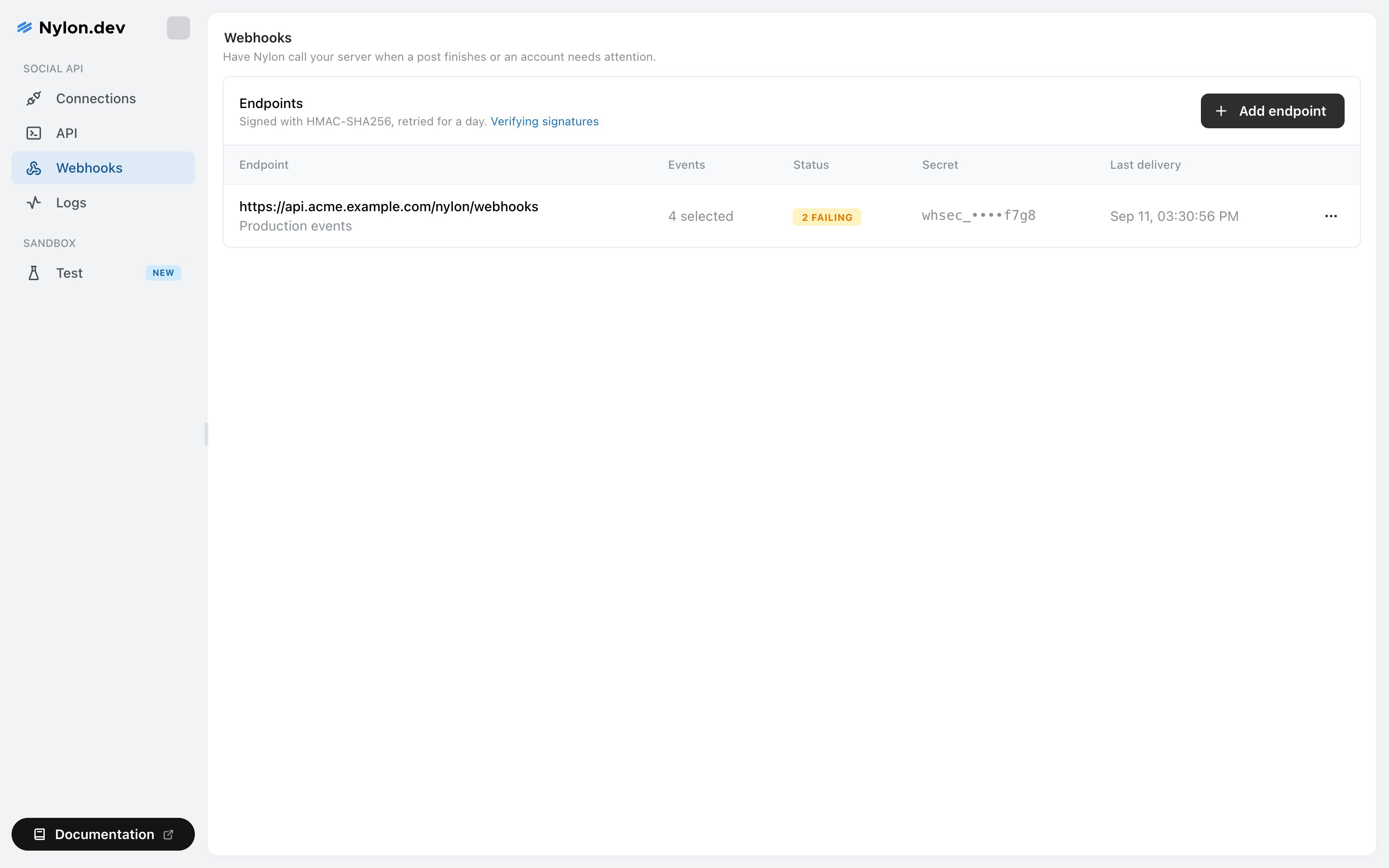
Select **Webhooks** in the sidebar, then **Add endpoint**.
It must be absolute and use `https` — for example `https://example.com/nylon/webhooks`. A `localhost` URL is accepted for local development.
A short description shows under the URL in the list. Useful once you have one endpoint per environment.
Every event is selected by default. See [Webhook events](/help/webhook-events) for what each one means.
On save, Nylon shows the signing secret **once**: *"Copy this now and store it with your other secrets. Nylon cannot show it again — if you lose it, rotate to get a new one."* Put it in your secret manager before closing the dialog.
 ## Leaving every event selected
Selecting all of them is not the same as selecting all of them *today*. Nylon stores "all events" as an empty filter, so an endpoint with everything ticked also receives event types added in future. An endpoint with a specific subset keeps receiving exactly that subset.
If you want new event types to reach you automatically, leave all boxes ticked. If your receiver would break on an event it does not recognise, choose explicitly.
## Verify the signature
Every delivery carries a `Nylon-Signature` header of the form `t=,v1=`. The signature is an HMAC-SHA256 over `"."` using your signing secret.
This is deliberately the same scheme Stripe uses, so if you have written this verification once before, it transfers with the variable names changed.
Three things matter:
1. **Sign the raw body**, before any JSON parsing or re-serialisation. A re-encoded body will not match.
2. **Check the timestamp** against a tolerance — 5 minutes is the default Nylon documents. Without this, a captured delivery can be replayed later.
3. **Compare in constant time.** A plain `===` leaks the signature a byte at a time to anyone who can measure your response.
Worked verification code, and the full payload shape.
## Test it before you rely on it
Open the **⋯** menu on the endpoint row and select **Send test event**. Nylon delivers a real, signed event and reports what came back — the HTTP status if the endpoint accepted it, or the error if it did not.
This proves the URL is reachable, that your signature check passes, and that you return a 2xx, before anything real depends on it.
## Related
The six events and what each one is for.
Retries, disabled endpoints and rotating the secret.
## Leaving every event selected
Selecting all of them is not the same as selecting all of them *today*. Nylon stores "all events" as an empty filter, so an endpoint with everything ticked also receives event types added in future. An endpoint with a specific subset keeps receiving exactly that subset.
If you want new event types to reach you automatically, leave all boxes ticked. If your receiver would break on an event it does not recognise, choose explicitly.
## Verify the signature
Every delivery carries a `Nylon-Signature` header of the form `t=,v1=`. The signature is an HMAC-SHA256 over `"."` using your signing secret.
This is deliberately the same scheme Stripe uses, so if you have written this verification once before, it transfers with the variable names changed.
Three things matter:
1. **Sign the raw body**, before any JSON parsing or re-serialisation. A re-encoded body will not match.
2. **Check the timestamp** against a tolerance — 5 minutes is the default Nylon documents. Without this, a captured delivery can be replayed later.
3. **Compare in constant time.** A plain `===` leaks the signature a byte at a time to anyone who can measure your response.
Worked verification code, and the full payload shape.
## Test it before you rely on it
Open the **⋯** menu on the endpoint row and select **Send test event**. Nylon delivers a real, signed event and reports what came back — the HTTP status if the endpoint accepted it, or the error if it did not.
This proves the URL is reachable, that your signature check passes, and that you return a 2xx, before anything real depends on it.
## Related
The six events and what each one is for.
Retries, disabled endpoints and rotating the secret.